Today was about introducing my Year 7s to the joy of Perfect Tense verbs conjugated with être as the auxiliary! First we recapped last lesson by using Socrative for them to discuss and post in pairs a definition of the Perfect tense with an example sentence using avoir. After the allotted 5 minutes I had them vote on the most effective definition, which handily proved to be the one that did actually include all the key concepts and terminology from last lesson.
Then, to introduce verbs that take être, instead of the usual ‘here are the most common verbs, you can learn them as DR MRS VANDERTRAMP’, I took a different tack.
I found this video on YouTube, downloaded it using KeepVid as YouTube is blocked in my school, and posted it to the class edmodo page. Students had to plug in headphones, watch and try to sing along at their own pace, noting down the verbs then using the internet in table groups to find both the English meaning and the correct Past Participle. This was preceded by a useful discussion about the most effective way to search for things like French grammar points. It always pleasantly surprises me by how much kids like to sing and although the song is quite fast, many were able to sing this by the end of the activity.
Category: Uncategorized
Visit to Avondale Grammar School
It was great today to visit Avondale Grammar School and meet Craig Kemp, the Head of ICT and Learning Innovation. We met on Twitter a couple of weeks ago, and our schools have a lot in common in that we are both piloting tablet devices this year. It was great to talk through our common issues/challenges of dealing with parents and staff, sustainable and realistic professional development, student-led learning and the ever-thorny presence of social networks like Facebook and YouTube that have so much learning potential…to block or not to block? Is it better to let students find their own way or to actually teach them to make responsible choices..and teach staff at the same time? A loaded question if ever I saw one!
It was also interesting to compare their choice of Windows 8 Dell tablets with our iPads in terms of expected use, app equivalents, consequences on school desktop provision, insurance, student acceptable use, distribution of apps, to name but a few areas!
Craig has invited us back when their tablets are deployed and in use and we have extended an invitation for a visit to Tanglin to see how our iPad pilot is going. An hour of face -to -face is worth a thousand tweets!
iPads in German
by Jack C
The Senior School at Tanglin has always offered amazing opportunities such as sport and academic competitions, but this year school has introduced something even more exciting. This year, Year 7 students were given iPads to trial for use in class and at home. It was hard to contain our excitement when we first found out, and we couldn’t wait to hear about how we would be using our new technology…
We use our iPads in every subject including languages. We use the iPad to save our work easily, do it more efficiently and be creative. This technology has made school more interesting and helped with learning. In German this year we have used many apps. The main ones that we have used so far include ‘Educreations’, ‘Christmas Card Creator’ and ‘Skitch’. Of course, there are also others that are generic and used across many other subjects.
‘Educreations’ is an app that helps you record voice while writing on the screen at the same time. You can place photos too! Having ‘Educreations’ in our German lesson has helped a lot. For example, we recently finished covering personal information (where you live, name, age etc.). In this topic, we used educreations to make a quick presentation of ourselves in conversation about our details. ‘Skitch’ is an app that helps with diagrams, pictures and slides. On this app you can draw arrows anywhere, as well as hand draw with the pen feature. This has been really helpful when we were learning numbers because we used it as a whiteboard. I think that Skitch has improved our skills in numbers and letters very effectively. Finally, we have the ‘Christmas Card Creator’. As the name suggests, we used this to make virtual Christmas cards written in German for our family and friends. This was fun as well as educational. We were able to decorate the card and write the message in German which was a challenge, but in the end we all got it.
In conclusion I think that the iPads have been a great addition to the lessons, not just because they are fun but because we can do so many interesting things to help us learn.
iPads in English
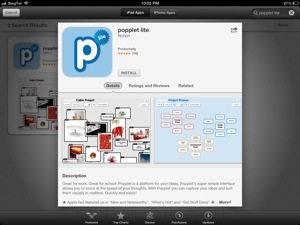
Have been looking today, with an English department colleague, at apps for making non-linear notes on characters, plot, themes etc. The free mind-mapping tool Popplet Lite is perfect as the ideas can be moved around and linked, to include pics, drawings and text. This way of collating thoughts and visuals can be really powerful, and sharing with peers or teachers is as easy as emailing or saving to camera roll and posting on Edmodo. Of course, popplets can also be printed off to go in exercise book…or a QR code could go in the book..or on a wall display for all to see..so many options!
When students are ready to produce some analysis they can use this as a prompt for creating a multimedia flyer on www.smore.com, which can then be shared online, or in the same way as the Popplets described above.
A good move..opening up our iPad portal
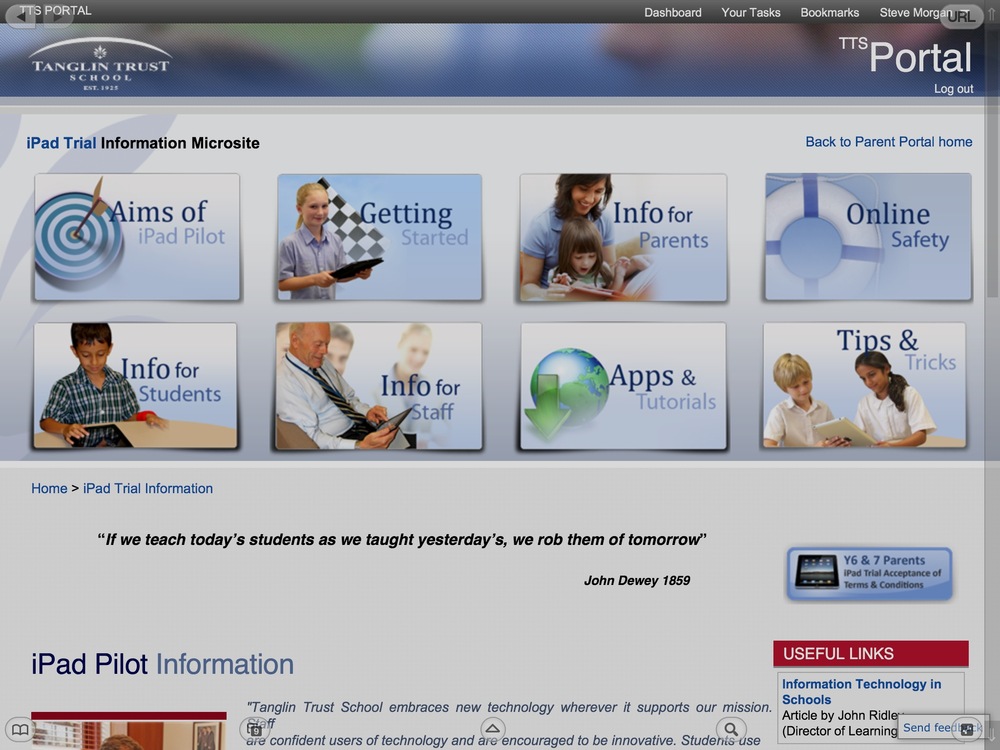
Am really pleased that sharing with other teachers and schools has become more of a two-way street today with the removal of the password from our iPad portal http://portal.tts.edu.sg/ipad-trial-information
iPads in French

It has been fantastic having iPads in my Y7 French class this year, we have used the device frequently in meaningful ways and the kids’ repertoire of tools is becoming impressive. Today, having drafted a piece of extended writing about what they typically eat and drink for each meal of the day, including an introduction to the concept of le goûter, we focused entirely on pronunciation. Students had previously peer-assessed speaking work using ShowMe so they each had targets to pay attention to this time. We brainstormed specific tips for ‘sounding French’ on Edmodo, kids then checked any tricky-to-pronounce words using the speaker function of the Google translate app. When ready, they then used the Educreations app to make a narrated slide for each of their meals, posting to Edmodo for all to see.
Student portfolios on iPad


A trial group of Y7 students today sharing their first entries in their Evernote portfolios..they have been shown how to tag each entry with one of our school’s learner profile attributes: caring, balanced, open-minded, reflective, principled, knowledgeable, thinker, communicator, risk-taker. There were some innovative uses of the camera, with photos of certificates achieved, positive feedback from teachers on written work, team photos, dance performances and even a picture of a full roast lamb dinner one student had proudly made for her family! I guess she tagged that under risk-taker and knowledgeable? Students certainly found out things they did not know about one another and so did staff. Evernote does not natively embed video, which is a shame, but with video now able to upload into Google drive, kids can post a web link to that. Can’t see a way to create that link on the Drive app itself, but can on the web version…
Interested to know if anyone is using a different platform for portfolios!
iPads in Gymnastics
by Archie
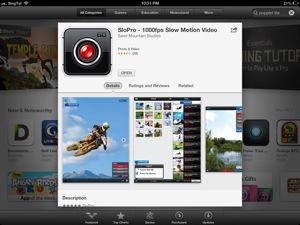
As everyone knows, Year 7 has been given iPads. Among all the brilliant uses of them has been ‘SloPro’, which is an app that lets you film something and play it back in slow motion. In gymnastics we have been using it to record and evaluate our balances. Watching movements back in slow motion helped us to identify the strengths and weakness in the performances. We could watch it back many times and even stop it to look at skills more closely. Using the iPad camera to record the skills helped us to see what we did wrong so we can do it better next time. I think that this is an amazing idea to help us evaluate performances and we should carry on using it. Gymnastics is fun but using ‘SloPro’ helps us learn more quickly.
Meograph: Four-dimensional storytelling – Fab for timelines/plotlines
www.Meograph.com is an awesome way for students/teachers to easily create, share, and play back stories in context of Where and When.
They call it four-dimensional storytelling … pretty cool.
Can include maps, narration, video, images, text etc
I made this quick Meograph about Vichy France in three minutes. : http://www.meograph.com/stevesingapore/18291/vichy-france
The website has a really easy video tutorial. Every feature works on iPad as well as online except the recording audio narration element, so slight compromise.
Fun iPad game for all subjects
Www.bingobaker.com is an online bingo card maker..can use brilliantly on iPads as kids can play in pairs or individually – or can print off for other year groups Teacher (or student) enters key terms into a grid, (commonly misspelled words, geographical/historical/scientific terms, symbols, numbers, square roots, periodic table, anything!) then hit ‘Generate’ to create a web link. The following link for example is for the food vocab from the unit our Y7 French students are doing https://bingobaker.com/play/50054 You share the same link on Edmodo but each kid magically sees a randomised card when they click the link. Genius! Teacher (or student) uses the wordlist to call out the words ie https://bingobaker.com/words/50054 Kids tap the words they hear on their ipad and they get crossed off just like a real bingo card. Once a line is crossed off, kids have to explain the terms on that line to win the game/prize/merit.. SAMR level: Augmentation if teacher makes and directs, Modification if students make and direct the activity as this would not have been possible without technology and is therefore changing the traditional task.

Living with the iPad: Workshop for Y7 Parents
Have just publicized, and am busy planning, with Library Director Jacqui, our first workshop for Year 7 parents on Tuesday, 5 February on the theme of ‘Living with the iPad’. We will share how iPads are enriching learning in school and also provide opportunities to discuss practical ideas for ensuring balance and responsible use at home.
Week 15: Drama
By Ashton:
“Starting secondary school is always a little scary but when we were told we were going to have iPads the whole of Year 7 were excited. We use iPads in a variety of lessons for many things from researching to creating presentations. Drama is a little different…. In Drama lessons, we use iPads to film group performances. This is a really good way for us to see how our work looks to the audience, make any changes and evaluate on what we or other groups have created. It’s easier then remembering what we did! Photos are another good way to make use of the iPads in Drama as we take pictures of still images and then look at the positioning of our bodies. All of this makes things easier to evaluate orally and write clear written reflections. The Notes and Pages apps are another way we use iPads. We record notes and ideas for ‘hotseating’ for different characters and record new information that we can use in our performances. I personally have started to use my iPad as a digital Drama book which keeps me organised. It’s been great having the iPad in school and especially in Drama as it really helps us to become more independent in class and makes you feel like a film director!”
Week 14: Learning Support
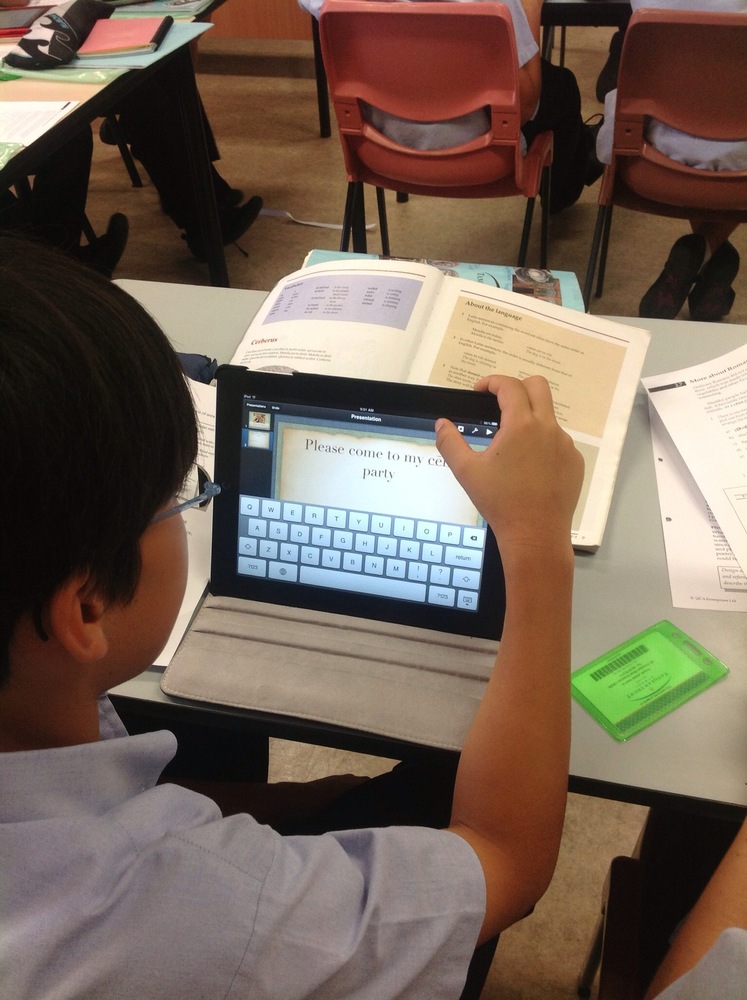
Year 7 students have been seeing the benefits of their iPads during Learning Support lessons and in supported lessons across the school. Students have been developing independence, organisation and effective study skills using the camera tool to take photographs of their own work and of key words and explanations of different concepts. ‘Skitch’ has been used, alongside other annotation apps to add notes to pictures enabling students to build up their own electronic portfolio of work, as well as a library of personalised resources and study aids. QR readers have also been employed to enable students to access information more efficiently in an engaging environment. The speak facility has proved to be an especially powerful tool for students to check, edit and proof read their own written compositions. Students can hear their work read aloud and can therefore identify and correct any mistakes themselves, taking ownership of their learning and being responsible for their own improvements. A range of subject specific apps are being used to enhance learning across the school curriculum, providing a more multi-sensory learning experience from spelling and language tools to interactive Maths apps. Both students and Learning Support teachers have enjoyed adding this new dimension to their teaching and learning.
Week 13: Spanish
by Lindsay:
I think the most useful app we have used so far in Spanish would be ‘Show Me’. This is because this app not only can be a mini-whiteboard, but can also be a videoing and teaching device. The first way we used this app was by answering questions using the whiteboard, which I think improved our knowledge of the way words are spelt. The next way that we used ‘Show Me’ was to create a video of ourselves and a partner demonstrating how to conjugate an -AR verb. We did this using text (or drawing with our finger) while speaking at the same time. This was a fun activity and benefited us since we could practise our pronunciation and memorise the AR verb endings. Another activity we did using the iPad was revising through the camera. Our partner would ask us the questions to help us with our speaking assessment and we would answer while the iPad is recording. Once we had done this, Señora Radcliffe played us the videos of us through her computer. We made comments on ways each other could improve their accuracy on the question answer, or ways to improve their pronunciation, and things they did well. This helped us to learn our questions more and do more revision. It also helped us to see ways to improve and help others.
Week 12: Chinese

by Zoe, Olivia, Shriya:
“We have been enjoying using iPads as they are interactive and fun. After learning about different family members, rooms of the house and measure words and adjectives, we used the ‘ShowMe’ app to create online presentations to show our knowledge of Chinese so far, including recording our voices. Next, we are going to view one another’s presentations via Edmodo and peer assess them following a marking scheme, highlighting strengths and also suggesting targets for improvement.”
 Steve Morgan Training